Choose your input
Open KeyFlow, select your MIDI keyboard, and let the app publish a clean virtual output.
 KeyFlow
App Store
KeyFlow
App Store
iOLABS · Edition 2026.01
Scale-safe MIDI for live keys.
A MIDI scale filter for Mac, iPhone, and iPad that keeps your performance inside the right scale while preserving real chords, useful color notes, and stage-ready control.
Live MIDI flow
KeyFlow sits between your keyboard and the instrument, reading MIDI before it reaches the sound.
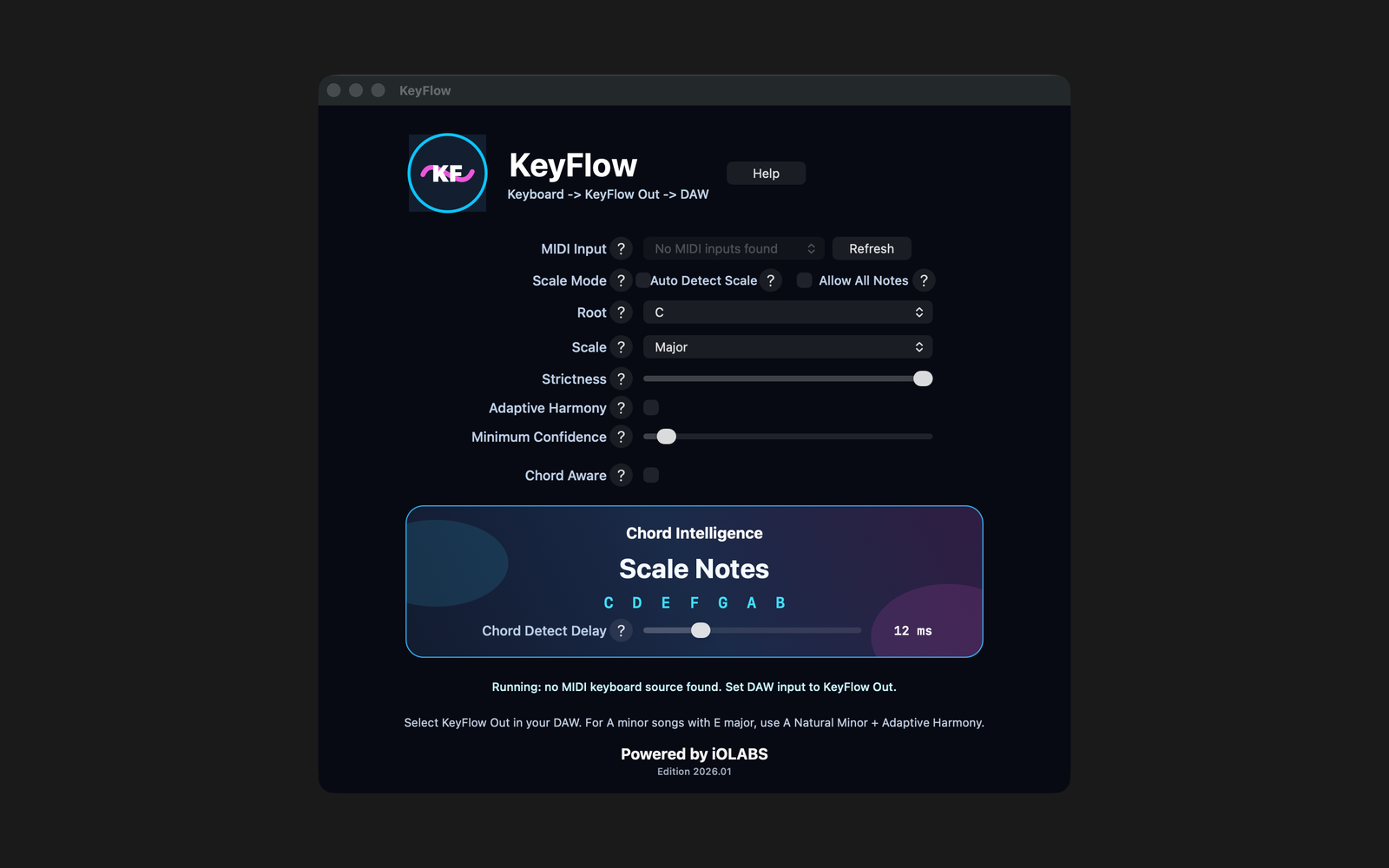
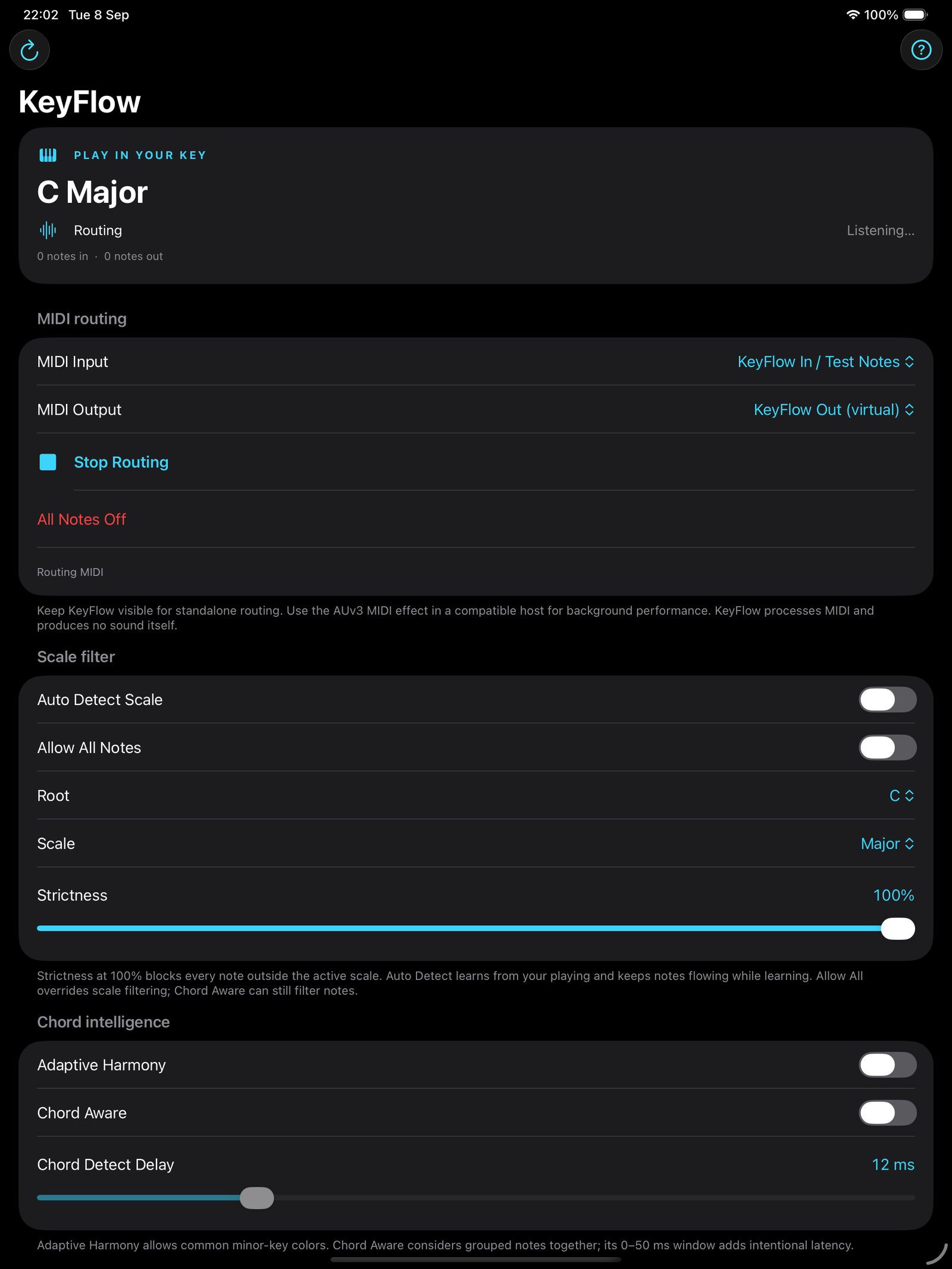
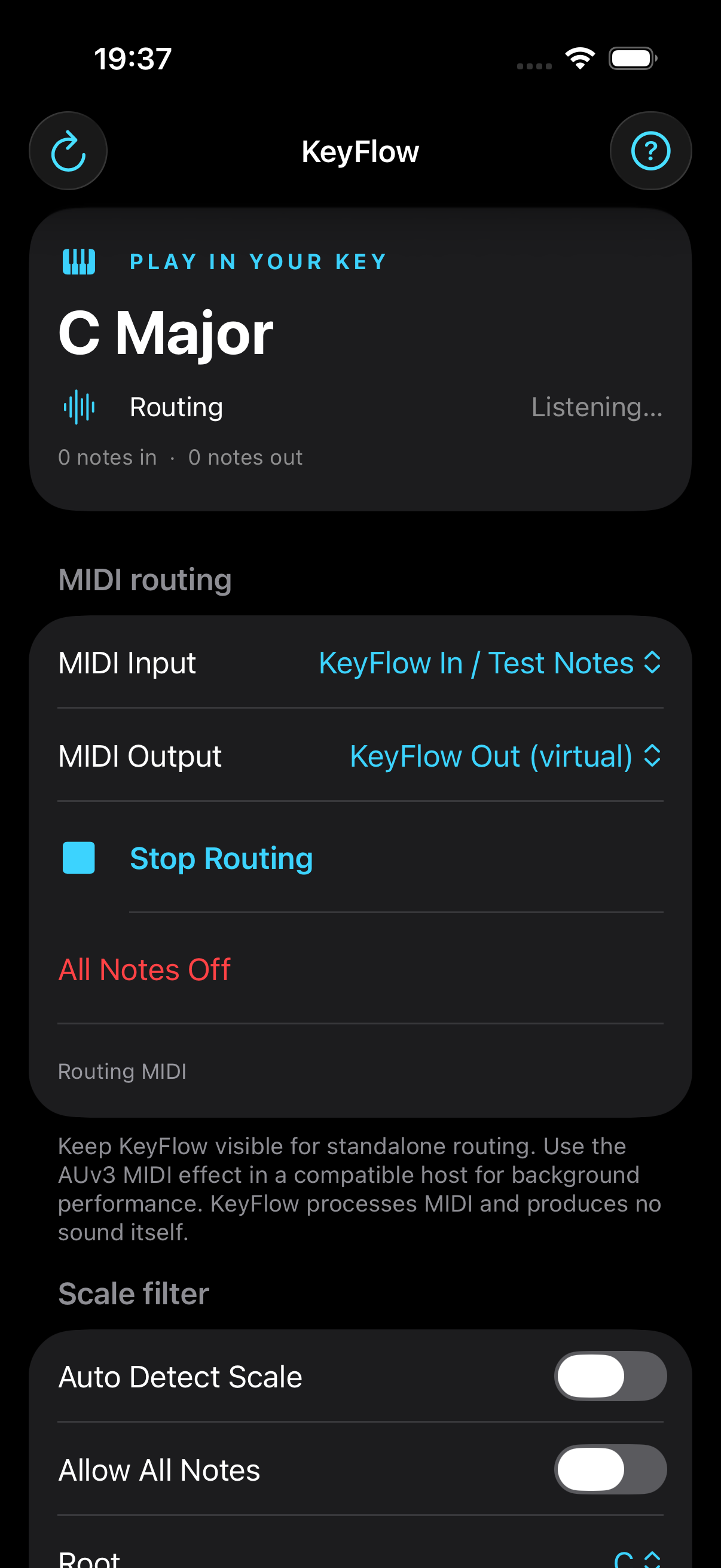
The real interface
One focused MIDI workspace on Mac, iPad, and iPhone. Choose a scale, route your notes, and stay in control.
Signal path
KeyFlow does not make sound. It shapes MIDI before the instrument sees it, on Mac, iPhone, or iPad.
Open KeyFlow, select your MIDI keyboard, and let the app publish a clean virtual output.
Use KeyFlow Out with a CoreMIDI-aware setup or MIDI-capable instrument app.
Wrong notes are blocked, harmony-aware notes can pass, and the musical intent stays intact.
Commercial 1.0 baseline
Fast routing, readable controls, and a harmony engine for live MIDI work on every supported Apple device.
Choose a root and scale, then set Strictness from forgiving to fully locked. Chromatic mode is there when the song needs complete freedom.
KeyFlow can learn from the notes you play and switch when confidence is high enough.
Bypass scale filtering instantly, or combine it with Chord Aware for a chord-compatible palette.
Minor keys get musical borrowed tones for dominant movement and expressive progressions.
Lower held notes inform the harmony while melody notes stay protected by the selected scale.
Run KeyFlow as a standalone CoreMIDI router, or load its AUv3 MIDI effect in a compatible host. On iPad, keep the standalone app visible while routing.
Product identity
KeyFlow is built for Mac, iPhone, and iPad. It includes standalone MIDI routing and an AUv3 MIDI effect for compatible hosts. AU identity: aumi KFlw ADrv.
Made by iOLABS
KeyFlow is built by iOLABS, an independent studio focused on practical, stage-ready creative software for musicians, performers, and producers.
Available now
Download KeyFlow from the App Store for scale-safe MIDI on your compatible Mac, iPhone, and iPad. One purchase gives you the complete KeyFlow experience across your Apple devices.
View KeyFlow on the App StoreSupport and privacy
No. It processes MIDI before it reaches your instrument plugin, DAW instrument, or MIDI-capable instrument app.
Your DAW may be receiving both the physical keyboard and KeyFlow Out. Use KeyFlow Out for the instrument route.
No. KeyFlow 1.0 processes MIDI locally, uses no network services, and includes no analytics or ads.
Use the router for whole concerts and sessions. Use the AUv3 MIDI effect when one compatible host strip needs KeyFlow.
Contact
Send a message to iOLABS and include your device, OS version, host or instrument app, MIDI keyboard, and what you are trying to route.
Download KeyFlow on the App Store for Mac, iPhone, and iPad.